


Knowledge What Are MDM Security Measures? Explaining Features That Prevent Data Leaks and Key Points for Choosing a Service


What Are MDM Security Measures? Explaining Features That Prevent Data Leaks and Key Points for Choosing a Service

In recent years the business use of mobile devices such as smartphones and tablets has grown rapidly. Along with this growth, security risks such as device loss or theft and malware infection have also increased, making effective management and security measures for mobile devices an urgent priority for companies.

This article focuses on MDM (Mobile Device Management) as a means to address these challenges and explains its security features, the benefits of implementation, and key points for selecting a solution.
1. What Is MDM? Its Fundamental Role in Security

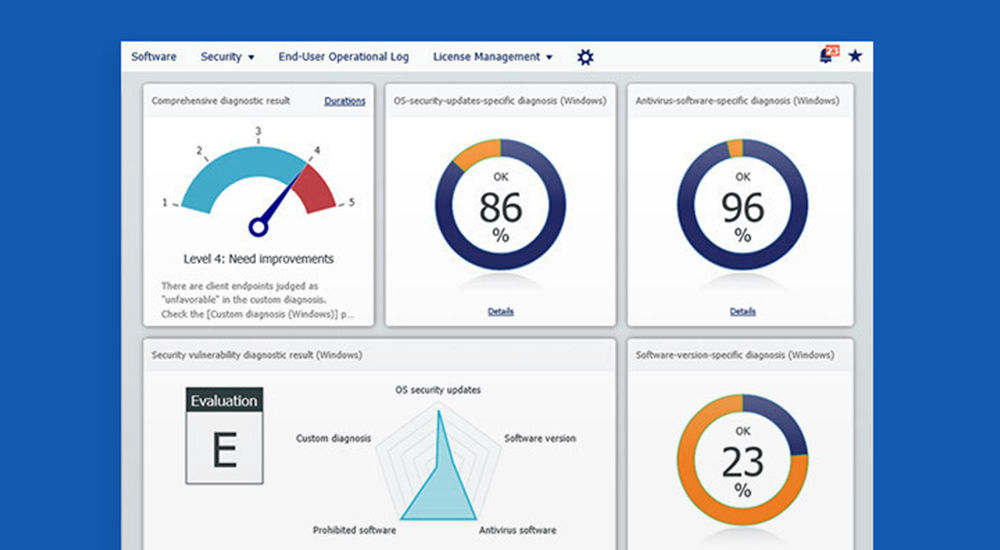
MDM is a system that allows companies to centrally manage and operate mobile devices such as smartphones and tablets issued to employees.

It enables the application of security policies, application management, and remote actions in emergencies, facilitating safe and efficient use of mobile devices.

Overview of Mobile Device Management (MDM)

MDM stands for “Mobile Device Management.” By deploying MDM, administrators can remotely apply consistent configurations to many devices without having to set each one individually.

MDM makes it possible to roll out new applications in bulk, send out OS update instructions, and enforce security settings, greatly streamlining IT management tasks.

Why Strengthening Security with MDM Matters Now

With the spread of diverse work styles such as remote and hybrid work, mobile devices are used not only in the office but also at home and on the go.

As devices are used more often outside the protected corporate network, the risk of data leaks and cyberattacks increases. Because of this, MDM’s role is becoming ever more important for securing devices regardless of location and protecting sensitive corporate information.

2. Key Security Risks MDM Can Address

Without MDM, companies are exposed to a variety of security risks.

Below are representative risks that MDM can mitigate, with concrete examples.

Data Leaks Due to Device Loss or Theft

Because mobile devices are small and easy to carry, there is always a risk of loss or theft. If customer or confidential information is stored on the device, it may fall into the hands of a third party, potentially causing a serious data breach.

With MDM, remote lock and remote wipe functions allow you to disable a device and delete its data from afar.

Data Destruction and Information Theft from Malware Infections

Browsing non-work-related websites or installing untrusted applications can open the door to malware such as viruses and spyware.

If infected, not only can data on the device be stolen or destroyed, but the damage can spread across the corporate network. MDM reduces the risk of infection by blocking access to malicious websites and preventing the installation of unauthorized apps.

Risks from Unauthorized Application Use

“Shadow IT,” where employees use cloud services or apps without approval, poses a major security threat. These services or apps may be vulnerable or improperly transmit corporate information externally.

With MDM, you can define a whitelist of applications permitted for business use and prevent the installation and use of other apps.

Misuse That Violates Internal Policies

Employees using corporate devices for personal purposes such as watching videos or playing games not only lowers productivity but also increases security risk.

Additionally, employees taking photos of confidential information with a device’s camera or transferring data via Bluetooth can be risk factors for insider wrongdoing. By leveraging MDM feature restrictions, you can prevent device misuse that violates internal policies.

3. Seven Essential MDM Security Features

MDM provides a variety of security features to protect mobile devices from numerous threats. 

Below are seven features that are particularly important:

Category Examples Purpose
Loss/theft countermeasures Remote lock and data wipe The final line of defense against data leaks
Misuse prevention Restrict device functions Control physical functions such as the camera and USB
Application management App distribution and usage restrictions Counter shadow IT and prevent malware infections
Access control Enforce password policies Prevent unauthorized access by third parties
Threat protection Block access to malicious websites Prevent phishing and malware infections
Monitoring and audit Monitor device usage and collect logs Deter misconduct and support post-incident investigations
Physical security Obtain location information Track and recover lost devices

Remote Lock and Data Wipe

In the event of device loss or theft, administrators can remotely lock the device to prevent third-party operation (“remote lock”). 

They can also erase all data on the device and restore it to factory settings using “remote wipe,” which is critically important as the last line of defense against data leakage.

Restricting Device Functions

Administrators can centrally and flexibly disable specific device functions such as the camera, screenshots, Bluetooth, USB connections, and tethering.

For example, you can disable the camera within areas where sensitive information is handled or prohibit the use of USB storage to prevent exfiltration from devices storing critical data. Settings can be configured to match your company’s security policies.

App Distribution and Usage Restrictions

This enables remote bulk installation and updates of applications required for work. At the same time, you can prohibit the installation of unnecessary or insecure applications.

This approach maintains employee convenience while effectively controlling risks from shadow IT and malware.

Enforcing Password Policies

This enforces rules for the passcode required to unlock devices. For example, you can set policies such as “minimum 8 characters,” “combine numbers and letters,” and “change regularly,” applying them across all employee devices.

This prevents the use of easily guessed, weak passwords and strengthens basic protection against unauthorized access.

Blocking Access to Malicious Websites (Filtering)

This feature blocks access to phishing sites and malicious websites that host malware.

Restricting access to non-work-related sites can also improve productivity. You can implement blacklist policies (ban specific sites) or whitelist policies (allow only specific sites), depending on your needs.

Monitoring Device Usage and Collecting Logs

This collects and monitors logs showing who performed what actions and when.

By tracking OS versions, installed app lists, and configuration change histories, you can detect devices that violate policies and investigate root causes when a security incident occurs. The fact that logs are being collected also serves as a deterrent against insider wrongdoing.

Obtaining Location Information

Using GPS, you can determine a device’s current location on a map. This is primarily used when a device is lost, to identify its location and increase the chances of recovery.

Be sure to establish operational rules with employee privacy in mind, such as obtaining location information only when a device is placed in “lost mode.”

4. Benefits of Using MDM to Strengthen Security

Implementing MDM not only addresses individual risks; it also elevates the overall security posture of the organization.

Standardized Policies for Consistent Security Levels

With MDM, you can enforce unified security policies across all corporate mobile devices.

This helps maintain a consistent security level for the organization regardless of differences in employee IT literacy or security awareness. It also eliminates reliance on individual user settings and prevents administrative oversights.

Reduced Operational Burden on IT Administrators

Manually configuring and managing hundreds or thousands of devices is a massive burden for IT teams. With MDM, these tasks can be performed centrally and automatically from a management console.

Streamlining app distribution, OS updates, and configuration changes allows administrators to focus on more strategic work.

Secure Enablement of BYOD (Bring Your Own Device)

BYOD reduces device procurement costs for companies and lets employees use devices they are familiar with.

However, personal devices mix private and business data, making it challenging to balance security and privacy. Some MDM solutions can separate business and personal spaces on a device, managing only business data, allowing BYOD that protects privacy while also securing corporate data.

5. How to Choose an MDM with Security in Mind

Selecting the best MDM for your organization requires comparing several factors. Below are key selection points from a security perspective:

Factor What to check Why it matters
Supported OS and devices Compatibility with the OSs your company uses (iOS, Android, Windows, macOS, etc.) To fully cover all devices under management
Feature completeness Whether it provides the functions required by your security policy To ensure policy compliance and the necessary security level
Delivery model Cloud-based or on-premises Impacts cost, operational burden, and customizability
Support structure Whether you can receive rapid, accurate support (e.g., in the desired language) during rollout and incidents To ensure smooth implementation and stable operations

Verify Supported OS and Device Coverage

First and foremost, ensure the MDM supports the OSs of the devices you want to manage (iOS, Android, Windows, macOS, etc.).

This is especially important if you allow BYOD, where a variety of OSs and models may coexist. A multi-OS solution that supports a broad range of devices is preferable.

Ensure It Has the Features Your Security Policy Requires

MDM products differ in their security features.

For example, you might need granular app controls, mandatory web filtering, or integration with antivirus solutions. Clarify your security policy in advance and select a product that meets those requirements.

Many solutions offer free trials, so we recommend testing usability in practice.

Choose Between Cloud and On-Premises

MDM comes in “cloud-based,” which uses the provider’s servers, and “on-premises,” which you host inside your organization.

Cloud-based options reduce initial costs and accelerate deployment, while on-premises solutions are easier to customize to your policies. Choose the delivery model that best fits your costs, operational resources, and security requirements.

Confirm the Support Structure

It is crucial to ensure you can receive timely and accurate support during implementation and operations.

This is especially important if you are implementing MDM for the first time, as you can expect many questions to arise around initial setup and policy design. Confirm in advance whether phone and email support are available (for example, in your desired language), what the response hours are, and choose a vendor you can confidently rely on for smooth operations.

6. Summary

This article explained the security features of MDM and the benefits companies can gain by implementing it.

As mobile devices have become indispensable for business continuity, comprehensive security measures through MDM are no longer merely “recommended” but “essential.”

KDDI Cloud Inventory provides one-stop management of device security processes and a wide variety of cloud-based security features. Contact us to learn more.

Related services

Do you need more information?

Strengthening Security and Governance at Global Branches

Strengthening Security and Governance at Global Branches White Paper

Connect with KDDI consultants for inquiries and quotations.